About Canva
Canva Visual Suite is Canva's core multi-format creation and collaboration product. It combines presentations, Docs, Sheets, Whiteboards, social content, photo and video editing, websites, print, PDFs and email design in one connected workspace, with shared templates, brand assets, publishing tools and AI-assisted creation. This page focuses on the Visual Suite itself: what teams can create, how current plans are packaged, where AI fits, and when a more specialized creative tool may be a better choice. Canva's corporate history and acquisitions belong on the Canva company page.
What can teams create in Canva Visual Suite?
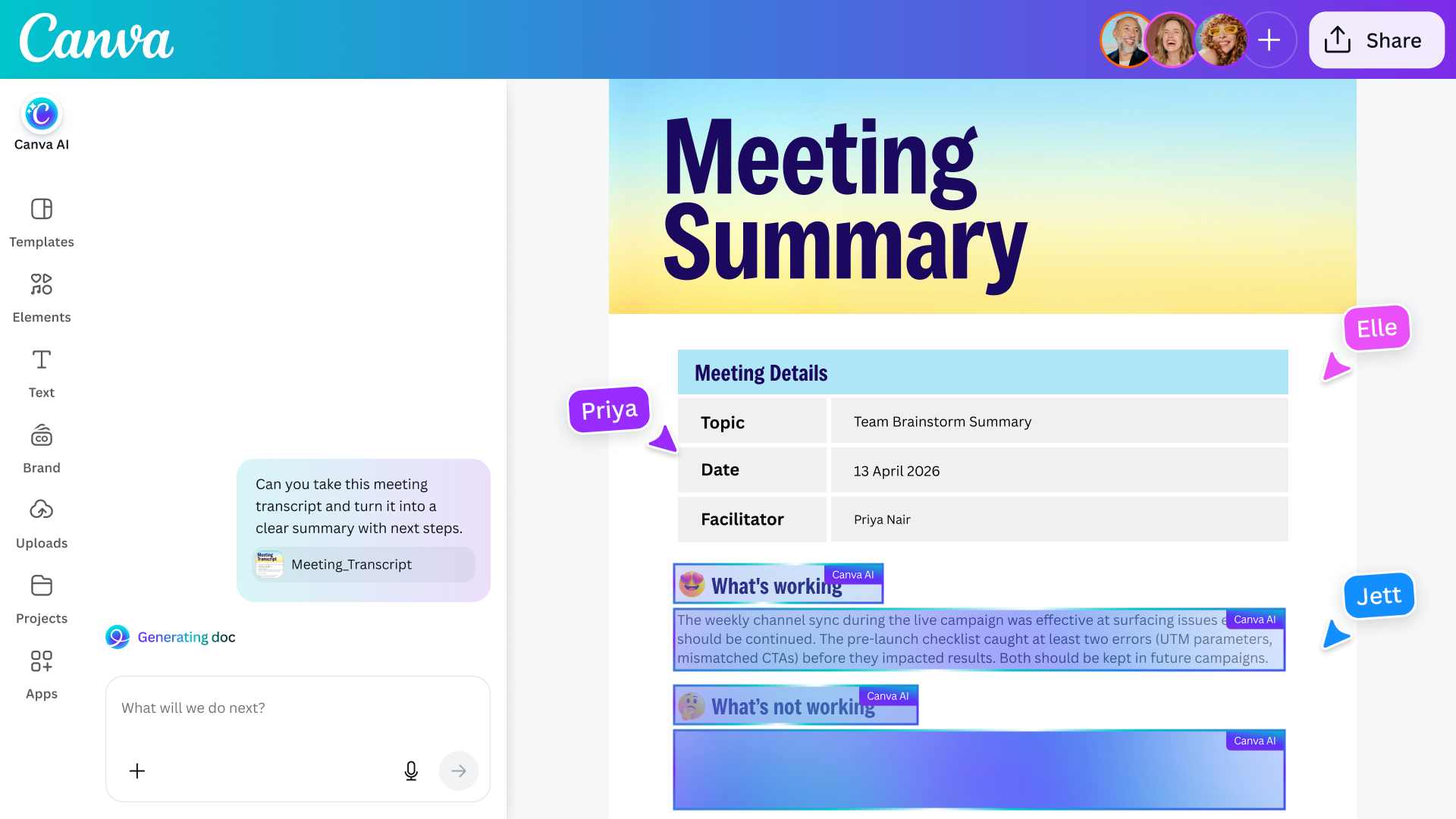
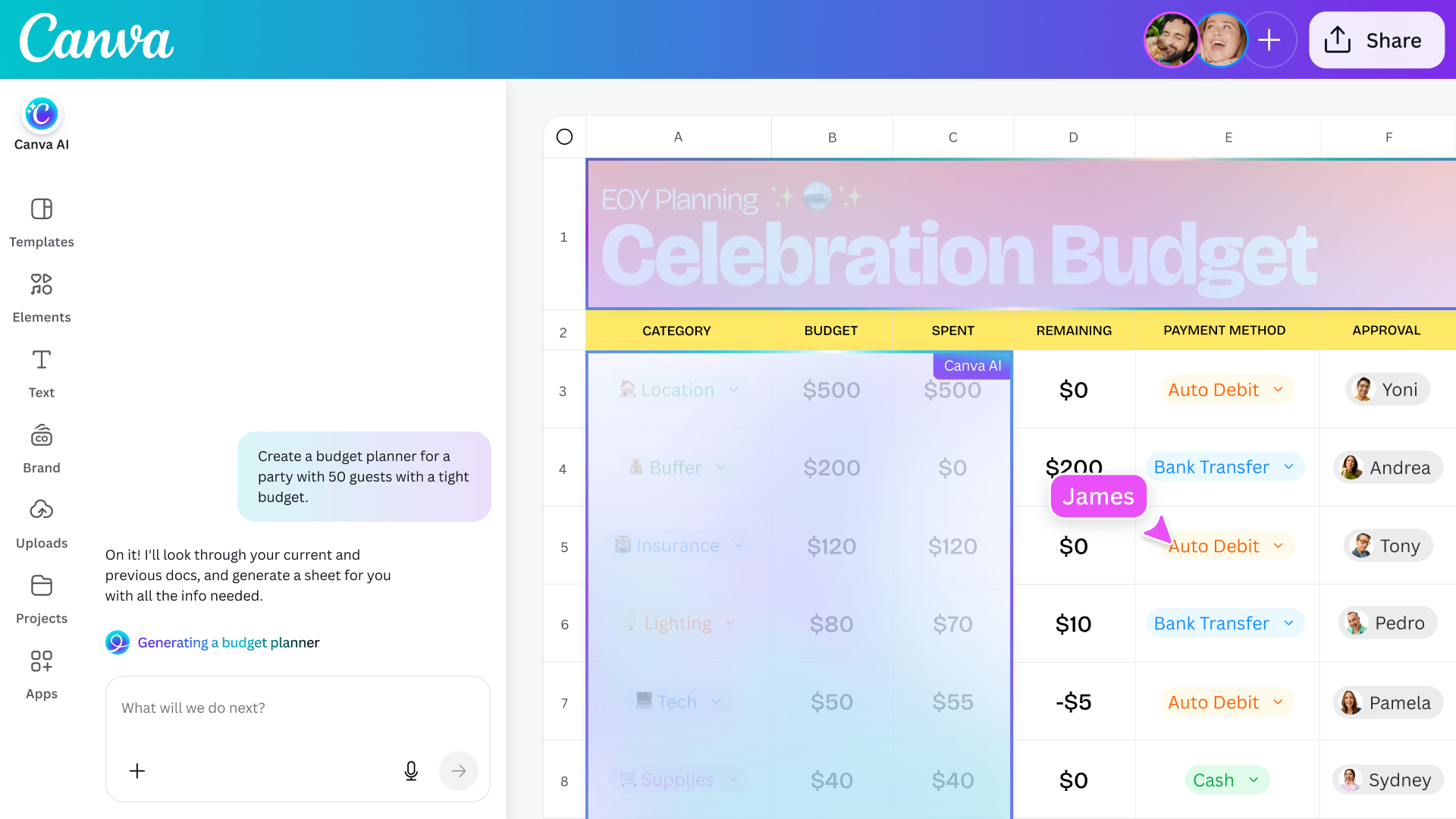
Canva Visual Suite is built around multiple content formats rather than one editor type. Teams can create presentations, documents, spreadsheets, whiteboards, social graphics, videos, websites, print materials, PDFs and email layouts in the same broader environment. Canva also supports multi-design workflows so related content can stay connected instead of being split across unrelated files.
A typical workflow starts from a template or blank design, adds stock or uploaded media, applies approved brand assets, brings in collaborators, then exports or publishes the finished work. Canva's current Visual Suite page also highlights real-time collaboration, comments, assignments, design import and integrations with outside tools.
How much does Canva Visual Suite cost in September 2026?
Pricing checked on September 8, 2026 against Canva's official pricing page. Canva Free is $0 per year for one person. Canva Pro is listed at $180 per year for one person. Canva Business is listed at $250 per year per person and is positioned for individuals and growing teams that need stronger collaboration, brand management, marketing tools and more AI usage. Canva Enterprise uses sales-assisted pricing rather than a public fixed price.
Canva states that prices exclude applicable tax. Education and nonprofit programs use separate eligibility rules. Existing Canva Teams customers can remain on legacy arrangements, while new team sign-ups are directed toward Canva Business.
What is included in Free, Pro, Business and Enterprise?
Free includes the core editor, 1.6 million or more templates, 4.7 million or more stock assets, one limited Brand Kit and 5 GB of cloud storage. Pro expands the premium content library, adds five Brand Kits, social scheduling, 100 GB of storage and higher AI access.
Business adds collaboration and team administration, up to 100 Brand Kits with approvals, Canva Grow ad insights and AI ad creation, access to Affinity with AI, Flourish access, 500 GB of storage and higher AI allowances. Enterprise adds stronger organization-level security and controls, SSO and SCIM provisioning, custom apps, up to 1,000 Brand Kits, multi-team management, 1 TB of storage and higher support options.
How does AI work inside Canva Visual Suite?
AI is woven through the Visual Suite instead of being limited to one separate tool. Canva's current pricing and product pages list features such as Canva AI, Magic Write, Magic Layers, Magic Resize, Magic Animate, Magic Insights, Magic Formulas, Canva Code, image and video generation and AI-assisted ad creation.
Usage depends on plan and feature type. Canva currently describes Free as having limited AI access, Pro as offering 10 times more Standard or Premium AI usage than Free, and Business and Enterprise as offering 20 times more. Some Ultra AI functions have separate use estimates, and paid AI Pass or top-up options are available on eligible plans. Buyers should check the current allowance model because AI packaging is changing quickly.
How do brand management and collaboration work?
Brand management becomes more important as more people create content. Canva can centralize logos, colors, fonts, imagery, templates and guidelines in Brand Kits and related controls. Higher plans increase Brand Kit limits and add stronger approval and administration capabilities.
Collaboration includes real-time editing, comments, assignments, link sharing and team workspaces. This can help distributed marketing, sales, education and communications teams create from approved material without routing every request through a central designer. The trade-off is that permissions, approvals and publishing ownership need stronger governance as usage expands.
What integrations and publishing workflows are available?
Canva supports an Apps Marketplace, APIs and SDKs, data import, connectors and integrations with other business tools. The current product also supports workflows that move content toward publishing and distribution rather than stopping at file export.
Integration depth varies. Buyers should confirm whether a connector only imports assets, synchronizes data, supports two-way actions or publishes directly. Enterprise teams should also review third-party permissions, data access and ownership before making marketplace apps part of critical workflows.
What are Canva Visual Suite's main limitations?
Canva is optimized for fast, collaborative creation and broad accessibility. That also means it does not replace every specialist creative application. Advanced vector, photo, page-layout, color, motion or production workflows may still require Affinity, Adobe applications, DaVinci Resolve or another specialist tool.
Plan limits also matter. Brand Kit counts, storage, AI usage, administration and security controls vary by tier. Large organizations should consider export fidelity, file portability, approval ownership and the operational impact of moving a large amount of brand and campaign work into one platform.
How does Canva compare with alternatives?
Adobe Express is a close alternative for accessible branded content creation, especially for organizations already using Adobe products. Microsoft Designer and Microsoft 365 may suit teams that want lightweight visual creation alongside their existing productivity tools. Figma can be stronger for interface design and design-system collaboration, while Adobe Creative Cloud offers deeper specialist production workflows.
Canva is strongest when a team values broad format coverage, templates, collaboration, brand controls, stock content and publishing in one accessible environment. A specialist tool is more appropriate when precision and production depth matter more than ease of use or cross-functional adoption.
Who should choose something else?
A professional creative team should consider another product when its core work depends on specialist capabilities that Canva does not provide at the required depth. Product and UX teams may prefer Figma. Advanced image, vector, layout, video or motion specialists may rely on Affinity, Adobe, DaVinci Resolve or similar tools.
Canva Visual Suite is a better fit when many people across an organization need to create polished visual communication without all becoming specialist designers. The buying decision should come from the actual mix of creators, brand governance requirements, output formats, AI usage and publishing workflows.
Reviews
No reviews yet
Nobody has reviewed Canva here yet.