About DS-61000WN
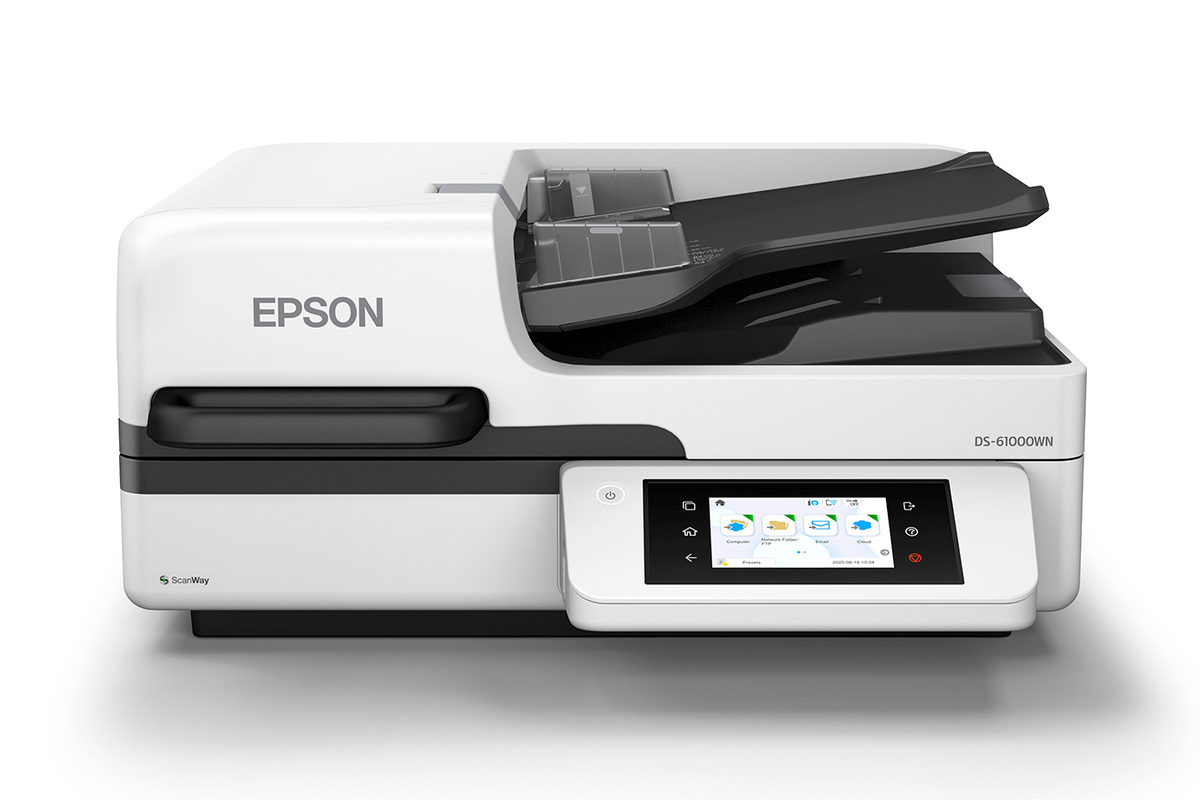
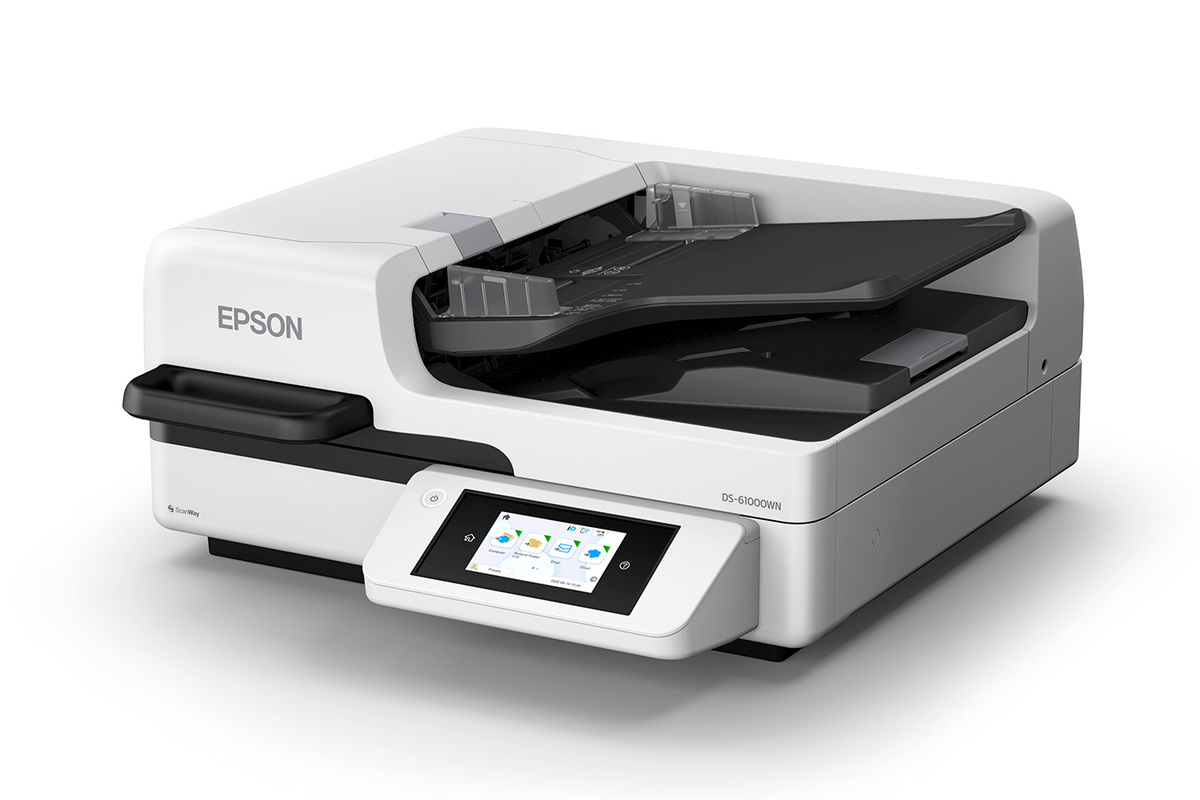
The Epson DS-61000WN is a network-ready A3 document scanner for busy departments that need both a large 11 x 17-inch flatbed and fast automated batch capture. It sits between the flatbed-only DS-51000WN and the faster enterprise-focused DS-71000WN. Epson pairs a 150-page ADF with up to 50 ppm / 100 ipm duplex scanning, wireless, Ethernet and USB connectivity, a 4.3-inch touchscreen and ScanWay PC-free workflows.
Key specifications
Scanner
| Scanner format | A3 flatbed with 150-page A3/A4 automatic document feeder |
|---|
Performance
| ADF scan speed | Up to 50 ppm / 100 ipm single-pass duplex |
|---|---|
| Peak daily duty cycle | Up to 8,000 sheets |
Flatbed
| Maximum flatbed size | 11 x 17 inches |
|---|
Connectivity
| Interfaces | Wireless, Ethernet and USB |
|---|
Control
| Display | 4.3-inch color touchscreen |
|---|
Workflow
| PC-free scanning | ScanWay to USB drive, email, network folders and supported online storage |
|---|
Integration
| Drivers | TWAIN and ISIS |
|---|
Media handling
| Feed protection | Document protection and ultrasonic double-feed detection |
|---|
Modes
| Smart flatbed modes | Book Mode and Photo Mode |
|---|
Model
| Model number | B11B283201 |
|---|
Who is the DS-61000WN for?
The DS-61000WN makes the most sense for offices that regularly handle mixed originals. The flatbed can capture books, bound material, delicate sheets and oversized documents, while the 150-page ADF is built for everyday stacks of loose pages. That combination is useful in records departments, education, government, healthcare and other teams where one scanner may need to handle very different source material.
It is less compelling for a small office that scans only letter-size loose sheets. In that case, a compact desktop DS model can take less space and cost less while still providing fast duplex capture.
How fast is batch scanning?
Epson rates the DS-61000WN at up to 50 pages per minute and 100 images per minute for single-pass duplex scanning, based on letter-size originals at 300 dpi over USB. The ADF holds up to 150 pages and includes document protection and ultrasonic double-feed detection. Epson states a peak daily duty cycle of up to 8,000 sheets.
Those figures position it well above casual office scanning, but they should not be read as a promise that every workflow will run at the maximum rate. Network conditions, document type, image settings, OCR and destination processing can all affect the time required to finish a job.
What can the A3 flatbed scan?
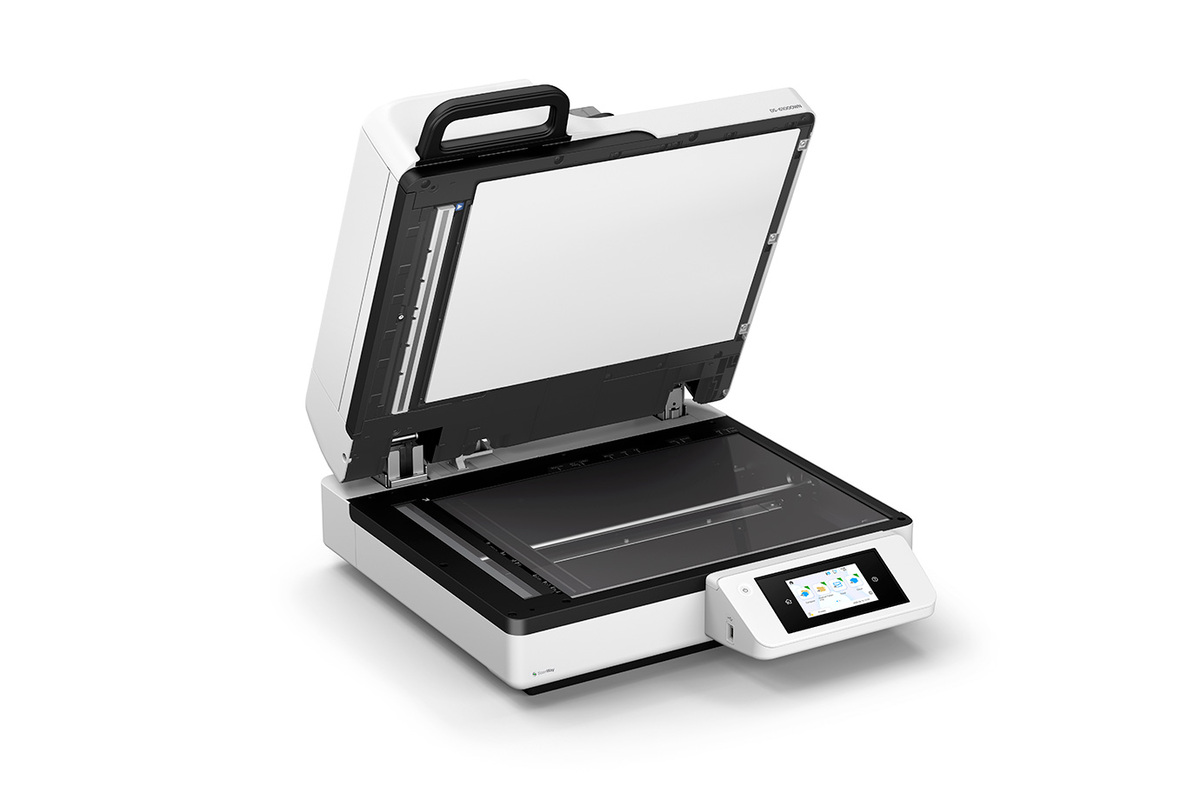
The 11 x 17-inch flatbed is the reason to choose this model over many sheet-fed scanners. It can capture oversized pages in a single pass and is suitable for bound or delicate originals that should not travel through an automatic feeder. Epson also provides Book Mode and Photo Mode for material that benefits from a flatbed workflow.
Book Mode is intended to reduce repeated lid handling during multi-page capture. Photo Mode adds image processing such as color restoration and auto exposure. Buyers working with archival or photographic originals should still test representative material and confirm that the scanner's workflow matches their preservation requirements.
How does network and PC-free scanning work?
Built-in Wi-Fi, Ethernet and USB make the DS-61000WN suitable for shared departmental use. Its 4.3-inch color touchscreen provides access to jobs, settings and maintenance without relying entirely on a connected workstation.
With Epson ScanWay, users can scan directly to supported USB storage, email, network folders or online storage accounts without installing software on a computer for each job. Some destinations require a network or internet connection, so organizations with restricted networks should verify the required services before deployment.
What software and integration support is included?
Epson includes TWAIN and ISIS drivers, which matters for organizations that need the scanner to work with established document management or capture applications. Epson Document Capture software supports job profiles, OCR, searchable PDF creation and supported Microsoft Office output. Epson also supports mobile scanning through compatible apps and Chromebook scanning on supported ChromeOS versions.
For a managed enterprise deployment that needs direct integration with custom or third-party workflows, the DS-71000WN is the more appropriate model because Epson specifically gives that scanner EdgeLink and enterprise workflow support.
How does it compare with DS-51000WN and DS-71000WN?
The DS-51000WN is the simpler choice when large-format flatbed capture is the main requirement and an ADF is not necessary. The DS-61000WN adds the 150-page feeder and up to 50 ppm / 100 ipm scanning, making it much better suited to departments that alternate between bound material and batches of loose documents.
The DS-71000WN keeps the same general A3 flatbed plus 150-page ADF concept but raises batch speed to as much as 70 ppm / 140 ipm, increases its peak daily duty cycle to 11,200 sheets and adds EdgeLink and enterprise workflow capabilities. Higher-volume organizations should weigh those benefits against the extra purchase cost.
What are the practical limitations?
This is a large departmental scanner rather than a compact desktop device. Buyers should plan adequate desk or counter space and should not pay for an A3 flatbed if almost every original is a standard loose office page. The quoted maximum speeds are also measured under specific Epson test conditions and can vary in real workflows.
The DS-61000WN is designed for document capture, not specialized film scanning or high-end photographic digitization. Its Photo Mode is useful for ordinary photo capture, but specialist imaging work may call for a scanner designed around photographic quality rather than departmental throughput.
Who should choose something else?
Choose the DS-51000WN when you need A3 flatbed scanning but do not need high-volume automatic feeding. Choose the DS-71000WN when 70 ppm / 140 ipm performance, a higher peak duty cycle or EdgeLink enterprise integration justifies the step up. A compact DS-series desktop scanner is a better fit when your work is almost entirely letter-size loose documents.
Teams focused mainly on receipts and financial document extraction should also compare Epson RapidReceipt models, while smaller general offices can compare WorkForce ES scanners. The DS-61000WN earns its place when a department genuinely needs both large-format flatbed versatility and a substantial 150-page batch feeder.
Reviews
No reviews yet
Nobody has reviewed DS-61000WN here yet.