About Dropbox Dash
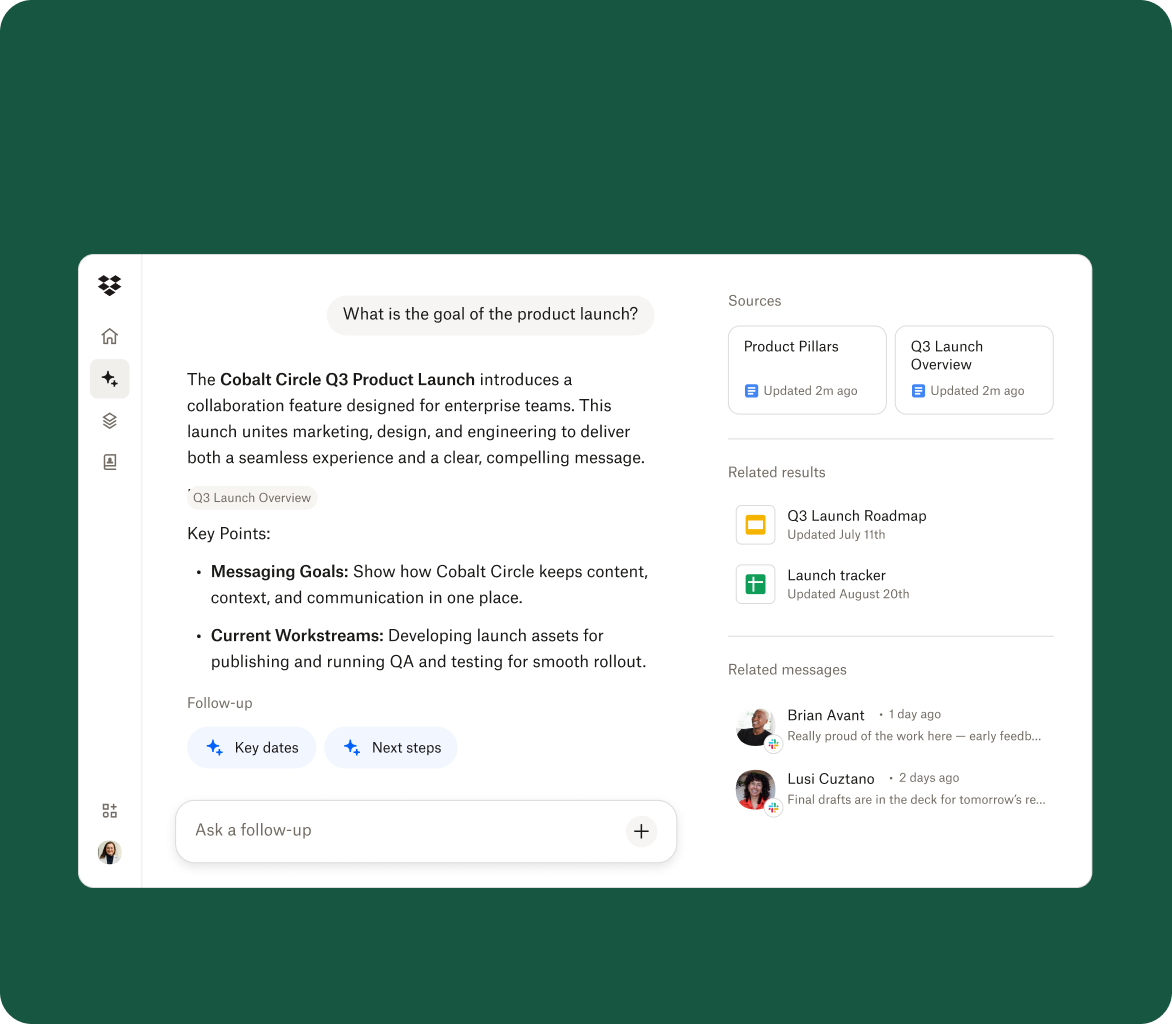
Dropbox Dash is an AI-powered search, chat and content-organization product from Dropbox. It is designed for teams whose information is spread across Dropbox and other work applications, letting users search connected content, ask questions, summarize material and organize important items into shareable Stacks. Dash is available as a standalone product and is also being integrated into the core Dropbox experience for eligible customers. This page focuses on Dash itself: its current capabilities, pricing, administration, privacy considerations and alternatives.
What does Dropbox Dash do?
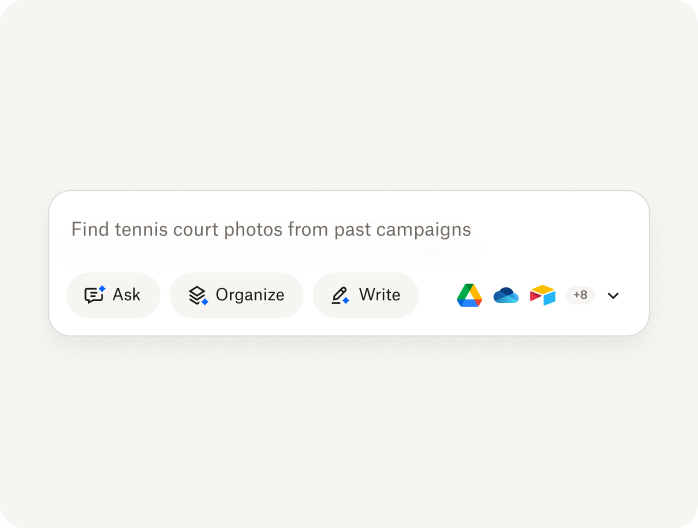
Dash gives users one place to search across connected work content instead of opening each application separately. Its search experience supports natural-language queries and can surface files, links and other permitted information from Dropbox and connected apps. Dash Chat can answer questions and summarize relevant content, while the start page brings together recent work, meetings, search, chat and Stacks.
The core value is context rather than file storage. Dropbox remains the underlying content platform for many customers, but Dash can work across other repositories as well. That makes it most useful when documents, messages, notes and project material are distributed across several systems and users regularly lose time remembering where something lives.
How do Stacks and the Dash start page work?
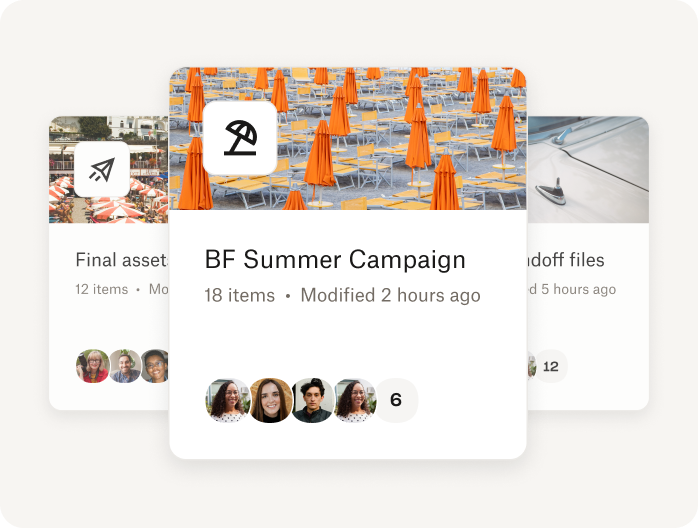
Stacks are smart collections used to group related content around a project, customer, campaign, onboarding process or other recurring topic. Instead of requiring every item to live in the same folder or application, a Stack can bring together relevant material for easier access and sharing. Users can create and revisit Stacks from the Dash start page.
The start page also acts as a daily workspace. Dropbox currently describes it as a place to search, access connected content, create Stacks, draft new material and ask questions. It can show recent items and meeting context, helping users move from finding information to using it without treating Dash as another traditional file system.
Which apps and surfaces can Dropbox Dash connect to?
Dash can connect to supported work applications so users can search and chat across permitted content. Dropbox currently highlights connections with services such as Google Workspace, Microsoft 365, Slack, Notion, Canva and other common work tools. Connector availability can change, and administrators should verify the exact application and content types they need before purchase.
Dash is available on the web, desktop and mobile. The current desktop app provides a full resizable window plus a quick-search experience, with keyboard shortcuts for search and recent content. Dropbox also offers browser extensions. This matters for teams that want Dash to function as a cross-application retrieval layer rather than a destination users must keep open in a single browser tab.
How does AI work inside Dropbox Dash?
Dash uses AI for semantic search, question answering, summaries, writing and organization. Current release notes also document an AI model selector that can offer multiple model choices for chat and writing tasks, allowing users to select among available models based on the job. The exact model list can change, so a buyer should treat model availability as a current product setting rather than a permanent entitlement.
Dropbox has also been extending Dash context into external AI workflows. Its current product updates describe a local Model Context Protocol server that can make Dash-powered search and context available inside compatible tools such as Claude and Cursor. Dropbox separately announced 2026 integrations with ChatGPT, ChatGPT Work and Codex. These connections reinforce Dash's role as a context layer, but each integration should be reviewed for authentication, permissions and deployment status before an enterprise rollout.
How much does Dropbox Dash cost in August 2026?
Pricing checked on August 22, 2026 against Dropbox's current Dash pricing page. Dash for Teams is listed at $15 per user per month when billed yearly or $19 per user when billed monthly. Dash for Business is listed at $35 per user per month and is currently billed yearly. Dropbox currently advertises a 50 percent discount for certain Dropbox Standard, Advanced, Business and Business Plus customers, so promotional eligibility should not be treated as a permanent universal price.
Dash licensing is separate from core Dropbox storage plans. A company may therefore pay for Dropbox seats and Dash seats independently. Dash for Teams is currently positioned for up to 100 users, while Dash for Business is aimed at organizations above that threshold and adds broader security and governance capabilities. Dropbox also states that future plans may include limits on the number of items each member can use with Dash, so buyers should recheck current commercial terms before budgeting long-term usage.
What security and privacy controls should buyers evaluate?
Because Dash can index or retrieve information from several work systems, permissions are central to the product. Administrators should confirm that connected-app access respects existing authorization boundaries, decide which repositories may be connected and review how user offboarding, connector removal and retention are handled. Dash for Business is positioned with more advanced administration and governance than Dash for Teams.
Dropbox states on the current Dash pricing page that it does not use customer data to build generative AI models. That is useful, but it does not remove the need for an enterprise privacy review. Organizations should still review subprocessors, data-processing terms, regional requirements, sensitive-content policies and how their chosen AI integrations interact with internal permissions.
What are the main limitations of Dropbox Dash?
Dash is most valuable when an organization has enough scattered content to justify a cross-application search and AI layer. A small team that stores nearly everything in one well-organized repository may gain less value. Search quality also depends on the quality, permissions and organization of the connected source systems. Dash cannot make missing, badly permissioned or outdated source content reliable simply by indexing it.
There is also a commercial complexity to consider. Dash can add another per-user subscription on top of Dropbox or other SaaS products, and some organizations may already receive enterprise search or AI capabilities from Microsoft, Google, Atlassian, Notion or another strategic platform. Buyers should compare the incremental value of cross-platform context against the cost and governance overhead of another AI layer.
How does Dropbox Dash compare with alternatives?
Microsoft 365 organizations may prefer Microsoft 365 Copilot and Microsoft Search when most business context already lives in SharePoint, OneDrive, Teams and Outlook. Google Workspace customers may prefer Gemini-based search and AI inside Google's own productivity stack. Atlassian-heavy teams can compare Rovo when Jira and Confluence are the main knowledge sources. Notion users can evaluate Notion Enterprise Search when their work is centered in Notion and its supported connectors.
Dash has a stronger case when a company deliberately uses several different SaaS ecosystems and wants an independent search and content-context layer across them. The choice should be based on connector coverage, permissions, search quality, AI governance, total cost and whether users will actually adopt a cross-platform retrieval tool.
Who should choose something other than Dropbox Dash?
A team should consider another product if it only needs cloud file storage, because core Dropbox plans already solve that job without a separate Dash license. Organizations standardized on one productivity suite may also find that the AI and enterprise-search tools included in that suite are easier to govern and purchase.
Dash is better suited to teams that repeatedly search across multiple repositories, need AI answers grounded in business content and want shared Stacks or a common discovery layer without migrating all information into one system. The product should be evaluated as an information-retrieval and context platform, not as a replacement for the source applications it connects to.
Reviews
No reviews yet
Nobody has reviewed Dropbox Dash here yet.